


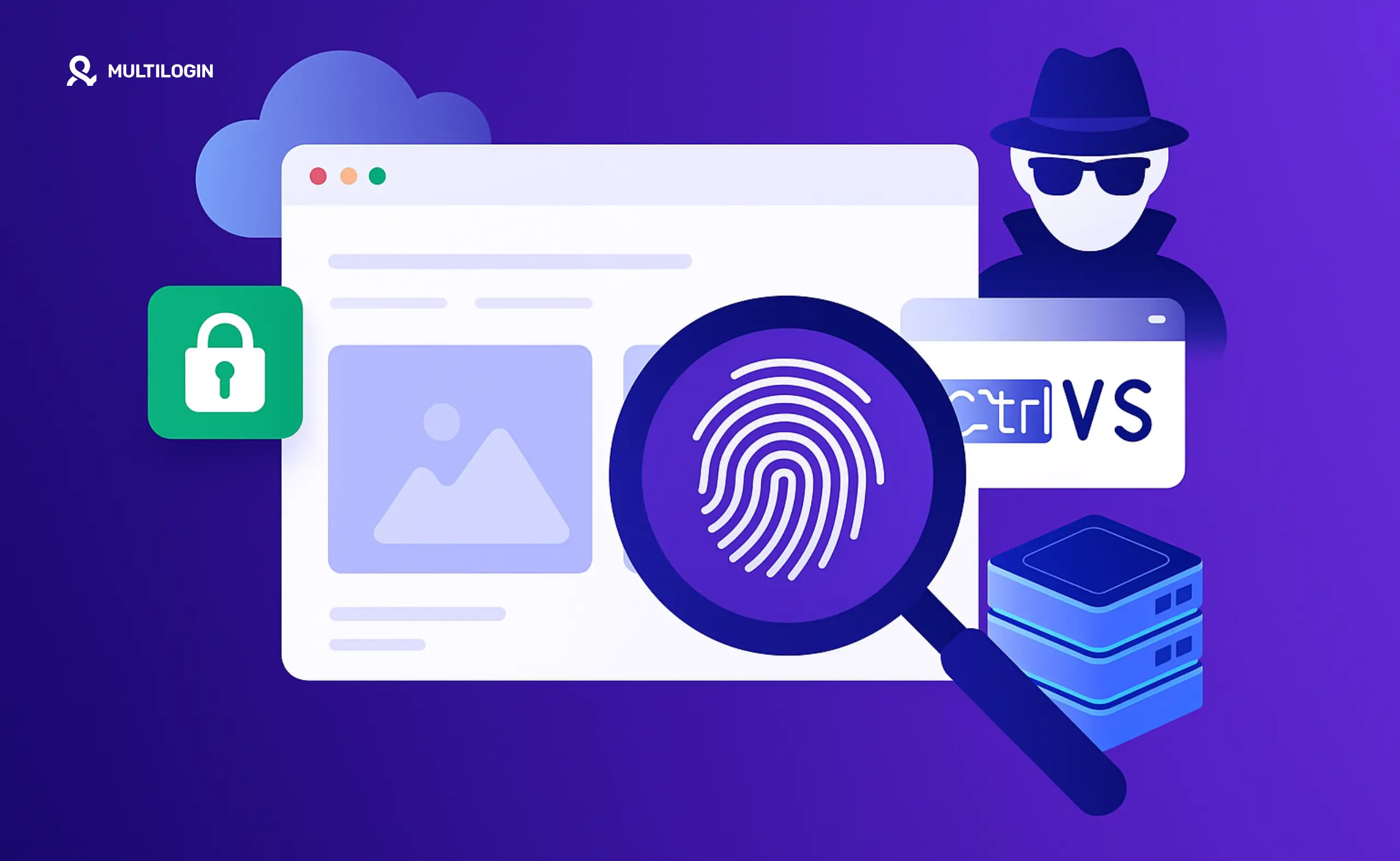



Clearing cookies, using incognito mode, or connecting through a VPN does not remove every signal a website can collect from your browser. Websites can still read details about your browser, device, operating system, display, graphics configuration, and other settings to understand whether different sessions appear to come from the same environment.
This process is known as browser fingerprinting. It does not depend on a single identifier. Instead, websites combine many browser and device characteristics to create a profile of the environment being used.
For social media marketers, agencies, creators, e-commerce teams, and AI workflow builders, browser fingerprinting matters when multiple web-based social profiles are managed over time. Reusing the same browser environment can make sessions harder to organize and create inconsistent account histories.
In this complete 2026 guide, you will learn how browser fingerprinting works, which signals websites can collect, how it affects web social profiles, and how Multilogin combines isolated browser profiles with Android cloud phones to support both web and native mobile workflows.
Manage web and mobile social profiles from one platform. Multilogin combines isolated browser profiles, Android cloud phones, built-in residential proxies, and persistent sessions for people and AI agents. Explore Multilogin →
What is browser fingerprinting?
Browser fingerprinting is a method websites use to collect information about a browser, device, and system configuration. These details can be combined to recognize an environment across multiple sessions, even when cookies have been removed.
A browser fingerprint may include the browser version, operating system, screen resolution, installed fonts, language, timezone, graphics capabilities, hardware information, and other technical parameters.
No single parameter is always unique. A common screen resolution or browser version may be shared by millions of users. The identifying value comes from the combination of many signals.
For example, two users may both run Chromium on Windows, but one may have a different graphics card, display size, language, timezone, font set, and number of CPU cores. Together, these differences create a more specific browser environment.
Why browser fingerprinting matters in 2026
Browser fingerprinting remains an important part of how websites understand sessions, devices, and user behavior in 2026. It can support analytics, security checks, fraud prevention, personalization, and account management.
It has also become more relevant as browsers limit third-party cookies and users become more aware of traditional tracking methods. Websites increasingly rely on combinations of browser, network, device, and behavioral signals rather than one simple cookie.
For teams managing multiple web social profiles, this means cookie separation alone is not enough to create well-organized environments. Every profile also needs its own persistent browser data, session history, network configuration, and profile identity.
However, browser fingerprinting only explains the web side of the workflow. Mobile-first platforms such as TikTok, Instagram, and Facebook also evaluate signals generated inside native mobile apps. These signals require a real Android environment rather than a browser profile.
How browser fingerprinting affects social profile workflows
Browser fingerprinting is not automatically harmful. Websites use it for many legitimate purposes, including security, analytics, and recognizing returning environments. The practical issue for social media teams is consistency.
When several web profiles are repeatedly opened inside the same browser setup, cookies, local storage, extensions, browser settings, network locations, and session data can become difficult to separate and manage.
1. Session recognition
Websites can compare browser and device parameters across sessions to understand whether a returning visit appears to come from the same environment.
For long-term social profile workflows, a persistent environment is useful because the account can keep the same cookies, local storage, settings, and login state between launches.
2. Browser and device consistency
A profile may appear inconsistent when its operating system, browser version, screen properties, language, timezone, and IP location change without a clear pattern.
Dedicated browser profiles make it easier to assign a stable configuration to each web account, client, campaign, or region.
3. Cross-session data
Cookies are only one part of a browser environment. Websites can also access or infer information from local storage, cache behavior, JavaScript properties, graphics rendering, language preferences, and network data.
This is why repeatedly clearing cookies does not create a complete new working environment.
4. Regional workflows
Social media marketers often manage profiles for different countries, audiences, clients, or campaigns. A consistent browser and proxy location makes these profiles easier to organize and operate over time.
5. Web and mobile differences
Browser fingerprinting applies to web environments. Native mobile apps collect a different set of signals, including app data, device-level information, login history, and mobile interaction patterns.
This is why Multilogin uses browser profiles for web workflows and Android cloud phones for mobile-first social profiles.
Build persistent environments for every social profile. Use isolated browser profiles for web workflows and dedicated Android cloud phones for native mobile apps. See how Multilogin works →
A classification of browser fingerprinting techniques
Browser fingerprinting is not one technique. Websites may combine multiple signals to understand the browser and device environment being used. The following are some of the most common browser fingerprinting methods in 2026.
1. User-Agent fingerprinting
The User-Agent string provides basic information about a browser and operating system. It may reveal the browser family, version, platform, and general device category.
What a User-Agent can reveal:
- Browser name and version
- Operating system
- Desktop, mobile, or tablet device category
- Browser rendering engine
Example User-Agent:
Mozilla/5.0 (Windows NT 10.0; Win64; x64) AppleWebKit/537.36 (KHTML, like Gecko) Chrome/136.0.0.0 Safari/537.36
Why it matters: A User-Agent is rarely unique by itself. It becomes more useful when combined with other information such as language, hardware, display settings, graphics capabilities, and browser features.
2. Screen resolution and display fingerprinting
Websites can use JavaScript to read information about the screen and browser window. These values help websites adapt layouts, but they can also contribute to a browser fingerprint.
What websites may detect:
- Screen resolution
- Available screen space
- Color depth
- Device pixel ratio
- Browser window dimensions
Why it matters: Common resolutions are shared by many users, but the combination of resolution, pixel ratio, operating system, browser window size, and other settings can make an environment more specific.
3. Canvas fingerprinting
Canvas fingerprinting uses the HTML5 Canvas API to ask a browser to render an image, shape, or piece of text. Small differences in the device and software stack may affect the final output.
How it works:
- A website asks the browser to render text or graphics through HTML5 Canvas
- The browser renders the content using its operating system, fonts, graphics hardware, and drivers
- The rendered output is converted into a value
- That value becomes one signal within the wider browser fingerprint
Why it matters: Canvas output can vary across operating systems, graphics configurations, fonts, drivers, and browser versions. It is most useful when combined with other browser signals.
4. WebGL fingerprinting
Like Canvas, WebGL fingerprinting uses graphics rendering information to understand the device environment.
What WebGL may reveal:
- Graphics vendor and renderer information
- WebGL version and supported extensions
- Shader precision
- Texture and rendering limits
- Graphics driver characteristics
Why it matters: The combination of graphics hardware, drivers, operating system, browser engine, and supported features can add useful detail to a browser environment profile.
5. Audio fingerprinting
Audio context fingerprinting uses the Web Audio API to process a generated sound signal. The result can vary slightly depending on the operating system, browser, processor, and audio stack.
How it works:
- A website generates an audio signal through the Web Audio API
- The browser and device process the signal
- The output is measured and converted into a value
- That value becomes another signal within the browser fingerprint
Why it matters: Audio fingerprinting is rarely used alone. Its value comes from adding another layer of information to a larger set of browser and device signals.
6. Font fingerprinting
The fonts available to a browser can reveal information about the operating system, installed applications, language setup, and custom software.
Detection methods may include:
- Measuring text dimensions across different fonts
- Comparing font rendering differences
- Checking whether specific font families are available
Why it matters: A font list may reflect the operating system, installed applications, professional tools, language packs, and personal customizations. Combined with other signals, it makes the environment more specific.
7. Browser extension and feature detection
Browser extensions and enabled browser features can affect how pages load, display, or respond. In some situations, websites may infer the presence of an extension through changes it makes to page resources or behavior.
What may be observed:
- Browser extension effects on page content
- Changes to network requests or resource loading
- Supported browser features and APIs
- Extension-related page modifications
Why it matters: An unusual collection of extensions or feature changes can add specificity to the browser environment. For profile-based workflows, extensions should remain tied to the correct browser profile.
8. JavaScript Navigator properties
The JavaScript Navigator interface exposes information that websites use to adapt their functionality to the browser and device.
Common properties include:
- navigator.platform
- navigator.language
- navigator.hardwareConcurrency
- navigator.deviceMemory
- navigator.maxTouchPoints
- navigator.cookieEnabled
Why it matters: These properties reveal details about the operating system, hardware, language, memory, processor, and input capabilities. Their combined values help define the browser environment.
9. Timezone and location signals
Websites may compare browser timezone, language, IP location, and user-provided location permissions to understand the regional context of a session.
Common location-related signals include:
- Browser timezone
- System language and locale
- IP-based location
- Geolocation permissions
- Regional date and time formats
Why it matters: Consistent location settings are useful for social profiles created for a specific audience, client, campaign, or market. Multilogin includes residential proxies so users can manage profile locations without adding a separate proxy tool.
How Multilogin supports web and mobile social profiles
Multilogin is a cloud phone platform for social media marketers. It lets individuals, agencies, creators, e-commerce teams, affiliate and media buyers, and AI agents manage multiple social profiles from one dashboard.
For web-based workflows, each social profile can run in its own browser profile with persistent cookies, local storage, session history, proxy configuration, and profile identity.
For mobile-first workflows, each profile can run on a dedicated Android cloud phone with its own apps, app data, login state, location, and Android environment.
Browser profiles are best suited to:
- Reddit account and community workflows
- YouTube channel and browser-based operations
- Facebook web workflows
- Marketplace and e-commerce dashboards
- Other web-based account workflows
Android cloud phones are best suited to:
- TikTok native app workflows
- Instagram mobile workflows
- Facebook mobile app workflows
- Mobile-first social commerce and creator workflows
- AI and automation workflows that require Android access
Together, browser profiles and Android cloud phones create a clear structure for social media operations: one social profile, one persistent environment, all managed from one dashboard.
What can be detected:
- Timezone offset from UTC
- Daylight saving time status
- Geolocation coordinates when permission is granted
- IP-based location
- Browser language and regional settings
Why it matters: Timezone is rarely identifying by itself, but it can make an environment more specific when combined with language, IP location, operating system, and other browser signals. For social profiles created for a particular market or audience, keeping these settings consistent also makes regional workflows easier to organize.
10. SSL/TLS fingerprinting
SSL/TLS fingerprinting examines how a browser establishes an encrypted connection with a website. During the connection process, the browser shares information about supported protocol versions, cipher suites, extensions, and other technical preferences.
How SSL/TLS fingerprinting works:
- A website observes the browser’s SSL/TLS handshake
- Supported cipher suites and protocol versions are recorded
- The order and combination of connection parameters create a recognizable pattern
- That pattern may be compared with other browser and network signals
Why it matters: TLS data helps websites understand which browser or client is making a connection. It is most useful when combined with User-Agent, IP address, browser engine, operating system, and session behavior.
11. Behavioral fingerprinting
Websites may also evaluate how users interact with a page. These patterns are not part of the traditional browser fingerprint, but they can add context to the technical environment.
Behavioral signals may include:
- Mouse movement patterns and speed
- Typing rhythm
- Scrolling behavior
- Touch gestures on mobile devices
- Time spent on pages
- Navigation and posting patterns
Why it matters: Platforms increasingly evaluate behavior alongside technical signals. For social media workflows, consistent environments are only one part of maintaining a healthy profile. Natural account warmup, varied content, realistic activity levels, and platform-appropriate behavior also matter over time.
12. Hardware and sensor signals
Browsers and native mobile apps may access different levels of hardware information. Desktop browsers usually expose a limited set of hardware properties, while mobile apps can work with sensors and device-level data that do not exist in a standard browser environment.
Hardware-related signals may include:
- Processor and memory information
- Graphics hardware and rendering capabilities
- Touchscreen capability
- Accelerometer and gyroscope data in mobile environments
- Network connection characteristics
- Device and operating system details
Why it matters: Mobile-first platforms such as TikTok, Instagram, and Facebook can evaluate signals produced inside native apps. Browser profiles cannot generate the full mobile environment those apps expect. This is why Multilogin uses Android cloud phones for native mobile workflows and browser profiles for web-based workflows.
How browser fingerprinting signals work together
A website does not usually depend on one browser parameter. It combines several signals to understand the environment behind a session. The exact process varies by platform, but it generally follows the same structure.
Step 1: Signal collection
When a page loads, browser APIs and network requests can reveal information about the browser, operating system, display, graphics hardware, language, timezone, network connection, and supported features.
Step 2: Environment analysis
The collected values are analyzed together. Common individual settings may become more specific when combined with many other parameters.
Step 3: Session comparison
The environment may be compared with previous sessions to determine whether it appears consistent over time. Cookies and login data can strengthen this comparison, but they are not the only signals available.
Step 4: Probabilistic matching
Because browser environments can change, fingerprinting is often probabilistic rather than absolute. A website may estimate that two sessions are likely to come from the same environment based on how closely their signals match.
Step 5: Ongoing profile history
Over time, technical signals may be combined with account history, content activity, login patterns, location, and user behavior. For social media teams, this makes persistent and well-organized profile environments more important than repeatedly resetting browsers or switching devices.
How accurate is browser fingerprinting?
The accuracy of browser fingerprinting depends on the number and quality of signals collected, how frequently they change, and whether the website can compare them with account, cookie, network, and behavioral data.
- Some browser environments are more distinctive than others
- Accuracy improves when technical and behavioral signals are combined
- Clearing cookies does not reset the wider browser environment
- Changing an IP address does not change browser, device, or session data
- Mobile apps can evaluate additional device and sensor signals
Manage social profiles with the right environment. Multilogin combines persistent browser profiles for web workflows with dedicated Android cloud phones for native mobile apps. Explore the platform →
The future of browser fingerprinting
Browser fingerprinting continues to evolve as browsers restrict traditional tracking methods and platforms combine more sources of technical and behavioral data. In 2026, the most important trend is not one new fingerprinting method, but the growing combination of web, mobile, network, content, and behavioral signals.
1. Machine learning and behavioral analysis
Machine learning systems can analyze large numbers of interactions and identify recurring patterns across sessions. These systems may evaluate:
- Typing and mouse movement patterns
- Scrolling and navigation habits
- Session length and posting times
- Content similarity across accounts
- Interaction patterns inside mobile apps
2. Cross-device environment analysis
Platforms can compare activity across desktop browsers, mobile browsers, and native apps. Shared networks, account data, timing, location, and behavior may all contribute to understanding how different sessions relate to one another.
3. Network and encrypted traffic signals
Even when traffic is encrypted, connection metadata such as protocol behavior, request timing, and TLS characteristics can provide additional context about the client environment.
4. Mobile sensor and app signals
For mobile-first platforms, native app data is increasingly important. App storage, device identity, sensor information, login history, and mobile interaction patterns cannot be reproduced by a standard desktop browser profile.
5. Greater emphasis on account history
Technical consistency alone is not enough. Platforms also evaluate how accounts behave over time, including warmup speed, posting volume, content repetition, engagement patterns, and changes in location or device use.
How to manage browser fingerprinting in social profile workflows
Browser fingerprinting cannot be reduced to one setting that can simply be turned off. For teams managing multiple profiles, the more practical goal is to create persistent, clearly separated environments for each workflow.
What common privacy tools actually do
Incognito or private mode
Private browsing limits what is saved locally after a session ends. It does not create a fully separate long-term environment for each account, and it does not change most browser or device properties.
VPNs
A VPN changes the network route and visible IP address. It does not automatically separate cookies, local storage, browser settings, login history, or device properties between accounts.
Clearing cookies
Deleting cookies removes one type of session data, but it also forces accounts to rebuild their login history. Other browser, network, and device signals remain available.
Browser extensions
Privacy extensions can reduce some forms of tracking, but they are designed primarily for individual browsing. They do not provide a complete profile-management structure for teams operating multiple long-term social accounts.
Using persistent browser profiles for web workflows
Multilogin provides isolated browser profiles for web-based social media and account workflows. Each profile can maintain its own cookies, local storage, browser settings, session history, proxy, and location.
Browser profiles can support:
- Reddit profile and community workflows
- YouTube channel and browser-based operations
- Facebook web workflows
- Marketplace and e-commerce dashboards
- Affiliate and campaign workspaces
Using Android cloud phones for mobile-first workflows
Browser profiles cannot run native Android apps or maintain app-level data and mobile device history. Multilogin Android cloud phones give every mobile social profile its own dedicated Android environment in the cloud.
Each cloud phone can maintain:
- Installed Android apps
- Persistent app data and login states
- Profile location and assigned proxy
- Long-term mobile account history
- Native TikTok, Instagram, and Facebook workflows
How Multilogin supports social profile management
Multilogin is a cloud phone platform for social media marketers. It combines browser profiles, Android cloud phones, built-in residential proxies, mobile minutes, team access, and automation support in one platform.
1. Persistent browser profiles
Every web profile keeps its own cookies, local storage, settings, session history, and profile identity. Users can close a profile and return later without rebuilding the environment.
2. Dedicated Android cloud phones
Each mobile social profile can run on its own cloud phone with persistent apps, app data, login history, device identity, and location.
3. Built-in residential proxies
Multilogin includes residential proxies, allowing users to assign and manage profile locations without purchasing a separate proxy tool.
4. One dashboard for web and mobile profiles
Browser profiles and cloud phones can be created, organized, launched, and shared from the same dashboard. Teams can group profiles by client, campaign, region, product, or business goal.
5. Team collaboration
Profiles can be shared with team members through role-based access. This lets agencies and marketing teams collaborate without passing around passwords or physical devices.
6. Automation and AI-ready workflows
Multilogin supports API access, full ADB access, Selenium, Puppeteer, Playwright, and Postman. These tools allow people and AI agents to create and operate browser and mobile workflows at scale.
7. Persistent account organization
Profiles can be labeled, grouped, and managed as long-term workspaces. This gives every account a clear environment and makes growing operations easier to coordinate.
Browser profiles and cloud phones compared
| Workflow | Browser profile | Android cloud phone |
| Primary use | Web-based workflows | Native mobile app workflows |
| Best-fit platforms | Reddit, YouTube, Facebook web | TikTok, Instagram, Facebook mobile |
| Persistent data | Cookies, local storage, browser sessions | Apps, app data, login states, mobile sessions |
| Environment | Chromium or Firefox browser profile | Dedicated Android environment |
| Proxy support | Built-in residential proxies | Built-in residential proxies |
| Team access | Role-based profile sharing | Role-based profile sharing |
| Automation | API, Selenium, Puppeteer, Playwright | API and full ADB access |
Build one workspace for every social profile. Manage browser profiles, Android cloud phones, proxies, team access, and automation from one Multilogin dashboard. Explore plans →
Who benefits from persistent social profile environments?
Multilogin is built for marketers and operators who manage social profiles as long-term business assets rather than temporary browser sessions.
1. Social media marketers
Social media marketers can manage TikTok, Instagram, Facebook, Reddit, and YouTube profiles from one dashboard. Mobile-first profiles run on Android cloud phones, while web workflows run inside persistent browser profiles.
2. Social media agencies
Agencies can create separate workspaces for each client, platform, region, and campaign. Role-based access lets team members work with assigned profiles without sharing physical phones or repeatedly transferring session data.
3. Content creators and growth teams
Creators and growth teams can organize profiles by brand, niche, language, or target market. Persistent environments make it easier to maintain account history and continue workflows over time.
4. E-commerce and marketplace operators
E-commerce teams can use social profiles to promote different products, test regional campaigns, support marketplace listings, and drive traffic from TikTok, Instagram, Facebook, Reddit, and YouTube.
5. Affiliate and media buyers
Affiliate marketers and media buyers can organize profiles by offer, niche, creative, platform, or location. Cloud phones support mobile-first campaign workflows, while browser profiles support web-based research and account operations.
6. AI workflow builders
AI workflow builders can connect agents to browser profiles and Android cloud phones through API and ADB access. This creates isolated environments where automated workflows can operate social profiles at scale.
7. Teams replacing physical phone farms
Teams that currently manage shelves of Android devices can move mobile workflows to the cloud. Each profile keeps its own persistent Android environment without requiring physical device storage, manual switching, or SIM coordination.
Conclusion: Take Control of Your Digital Fingerprint
Browser fingerprinting has become an important part of how websites recognize browser environments, compare sessions, support security checks, and understand user activity across the web. For teams managing multiple social profiles, the practical challenge is not simply avoiding tracking. It is creating a clear, persistent environment for every account and keeping browser, network, location, and session data organized over time.
Multilogin takes a broader approach. It is a cloud phone platform for social media marketers that combines isolated browser profiles, Android cloud phones, built-in residential proxies, persistent sessions, team access, and automation support in one dashboard.
With Multilogin, users can:
- Create persistent browser profiles for web-based social media workflows
- Run TikTok, Instagram, Facebook, and other native apps on dedicated Android cloud phones
- Keep cookies, local storage, app data, login states, and account history tied to the correct profile
- Use built-in residential proxies to manage profile locations without adding a separate proxy service
- Organize social profiles by client, platform, campaign, region, product, or business goal
- Share profiles with team members through role-based access
- Connect people and AI agents through API, ADB, Selenium, Puppeteer, Playwright, and Postman
For web-based workflows on Reddit, YouTube, Facebook web, marketplaces, and other browser platforms, Multilogin provides isolated browser profiles with persistent cookies, local storage, sessions, and profile settings.
For mobile-first workflows on TikTok, Instagram, and Facebook, Multilogin provides dedicated Android cloud phones with their own apps, account data, location, login history, and Android environment.
This makes Multilogin useful for social media marketers, agencies, creators, affiliate and media buyers, e-commerce teams, marketplace operators, and AI workflow builders who manage social profiles as long-term business assets.
One social profile. One persistent environment. One dashboard.
Build account history, manage different regions, organize web and mobile workflows, and grow your social media operation without combining separate browser, cloud phone, proxy, and team-management tools.
Multilogin offers a Free plan with no time limit and no credit card required. Paid plans start from $7.08 per month, with cloud phones, browser profiles, built-in proxies, and mobile minutes included.


Manage multiple accounts with Android cloud phones
Build account trust, reach new locations, and grow faster from one dashboard
Frequently Asked Questions About Browser Fingerprinting
Browser fingerprinting is a tracking technique that identifies users by collecting information about their browser, device, and system configuration. It works by gathering 50-200 data points (screen resolution, installed fonts, Canvas rendering, WebGL capabilities, etc.) and combining them into a unique identifier. Unlike cookies, fingerprints can’t be easily deleted because they’re based on your actual hardware and software configuration.
Browser fingerprinting is extremely common. According to the Electronic Frontier Foundation, 83.6% of browsers have unique fingerprints. Studies show that 80-90% of browser fingerprints are unique enough for accurate tracking, and over 10,000 of the top websites actively use fingerprinting techniques. In 2025, it’s become the dominant tracking method as cookies become less effective.
The EFF (Electronic Frontier Foundation) created Cover Your Tracks (formerly Panopticlick), a free tool that tests how unique your browser fingerprint is. It analyzes your browser and shows you which characteristics make you identifiable. The EFF’s research demonstrated that 83.6% of browsers have unique fingerprints.
A proxy fingerprint refers to the unique characteristics of your proxy connection that can be detected by websites. This includes the proxy’s IP reputation, connection timing, SSL/TLS handshake, and consistency with other browser parameters. Even with a proxy, if your browser fingerprint doesn’t match your proxy location (e.g., US proxy but European timezone), you can be detected. Multilogin automatically synchronizes your fingerprint with your proxy location.
Multilogin creates unique, natural browser fingerprints for each profile by modifying all fingerprinting vectors simultaneously (Canvas, WebGL, audio, User-Agent, fonts, etc.). Unlike tools that try to block fingerprinting (which websites can detect), Multilogin makes each profile appear as a completely different person using a different device. The fingerprints are realistic, consistent over time, and automatically synchronized with your proxy location.
Enterprise fingerprinting platforms like FingerprintJS, Sift, and Forter are designed to fingerprint millions of users for fraud detection and analytics. On the protection side, Multilogin is the leading solution that scales to millions of users, allowing businesses to manage thousands of unique fingerprints across their operations.
SSL/TLS fingerprinting analyzes your browser’s encrypted connection handshake to create a unique identifier. The cipher suites, extensions, and protocol versions your browser supports create a signature that persists even when you change your IP or use proxies. Multilogin’s SSL/TLS fingerprints management ensures your encrypted connections don’t betray your identity.

